


Country

Choose your country

AustraliaGlobal website

Multi-location clinics

Manage by visibility, wherever your clinics are.

At one clinic, you can see what is happening by being there. Across several, small problems can multiply before they reach you. DappleOS gives cosmetic, aesthetic and laser clinic owners visibility of financial and clinical activity in one system, with records that support your compliance processes. Investigate differences, support your team and decide where to act.

Compare locations over the same period, then open the detail behind a result to decide what needs attention.

Built around your day

See the financial and clinical picture across your clinics.

For owners and managers who can no longer oversee every clinic in person. Whether you have two locations or a larger company-owned group, bring performance, patient continuity and compliance processes into your management conversations. Separate ownership, brands or central and local settings may need the franchise and enterprise approach.

Explore compliance support
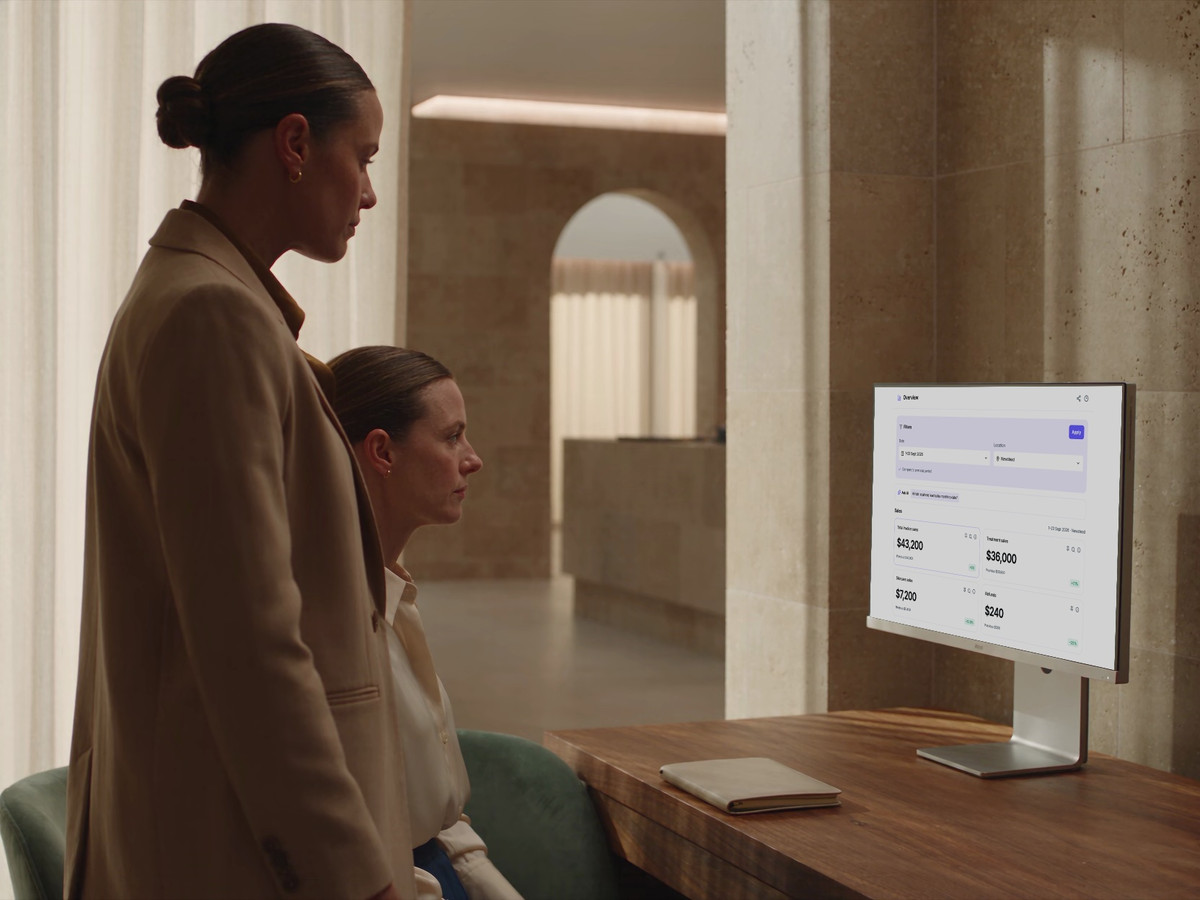
A regional leader and clinic manager review the location’s DappleOS reporting overview.

One system. Fewer separate tools.

Separate tools for booking, marketing, consent, photos and scripting can leave locations working from different records. DappleOS brings these workflows, including injectable scripting, into one system, reducing the need to reconcile information between tools. Configure group visibility and patient access around your account structure, so each team works with the context it is authorised to see.

Compliance support

Keep compliance processes visible across every clinic.

The problem
As more people and locations handle medicines, prescribing requests and consent, informal checks become harder to oversee. Leaders need consistent processes and access to the records behind them.
How DappleOS helps

Digital drug book

Review recorded Schedule 4 medication movements by product, batch, expiry and location. Where note-based stock updates are enabled, saved treatment use links the movement to the patient and person who recorded it. Daily balance views support reconciliation where enabled.

Explore the digital drug book

Injectable scripting

Request an injectable script from the clinical note, with patient history, treatment details and consent in context. Your clinic’s configured prescribers review the request and record their decision. Issued scripts retain signature and validity details.

Explore injectable scripting

Consent and clinical records

See which configured forms still need completion, then review captured answers and signatures alongside the clinical note. Keep the record of consent, treatment and follow-up available for the next authorised colleague.

Explore forms and consent
What this means for your clinic
Your authorised team can review medication and clinical records, identify questions and assign follow-up across locations, with prescribing decisions and professional responsibilities remaining with the appropriate practitioner.

Management visibility

Find the location that needs a closer look.

The problem
You cannot be at every clinic. A group sales total can hide differences in appointment capacity and performance between sites.
How DappleOS helps
Use Reporting to compare invoice sales, appointment activity and utilisation by location and practitioner, where supported, for the same period. Open the underlying records to investigate a difference, and set separate KPI targets for the responsible team.
What this means for your clinic
You have a clearer starting point for deciding which clinic needs attention and what to discuss with its manager.

Compare practitioner activity and inspect the invoice rows behind a result. Keep the same period, location and measure in view when discussing what to do next.

Clinical leadership

You’ve invested in treatments. See where activity differs.

The problem
You have invested in treatments, devices and people, but recorded activity varies between clinicians and sites. Revenue alone cannot explain why.
How DappleOS helps
The Assessments & Recommendations report shows recorded recommendation opportunities and additions to plans by clinician. Review these alongside treatment and appointment reporting, then discuss patient suitability, service availability and possible training needs with the team.
What this means for your clinic
Agree the support to explore, then revisit the same measure. Activity alone does not establish a practitioner’s competence or confidence.

Compare recorded opportunities with additions to plans by clinician. An addition to a plan is a separate step from booking or providing treatment.

One patient relationship

Keep the patient relationship across locations.

The problem
When a patient changes practitioner or clinic, the relationship can depend on what the last person remembers rather than what the next person knows.
How DappleOS helps
Within your shared clinic account, authorised colleagues can review authored, dated clinical notes and the existing treatment and skincare plan before the visit. Patients can also revisit the plan in your clinic’s branded patient app.
What this means for your clinic
The next practitioner can prepare from the earlier conversation and clinical reasoning, while making their own patient-specific decisions about ongoing care.
Treatment and skincare plan showing booked and unbooked next steps.

The next practitioner prepares from the existing record and plan, then makes their own patient-specific decisions. Patient sharing across separate businesses needs its own account discussion.

Clinical process review

Make compliance review part of clinical oversight.

The problem
As sites and teams grow, informal oversight gets harder. Financial performance does not show whether clinical records need clarification or follow-up.
How DappleOS helps
Authorised reviewers can examine completed forms and their retained answers, the recorded financial estimate in the consent form, and relevant script details and dates alongside the consultation record. Use those records to investigate the question in context.
What this means for your clinic
Record review supports your compliance processes alongside financial oversight, with evidence to discuss and a person responsible for the follow-up.

Review the underlying records in context. Today's form or script status does not establish what was valid at an earlier treatment.

Access and local responsibility

Give each manager visibility and a clear next action.

The problem
When every question comes back to the owner, local action has to wait. Small unfinished jobs can multiply across clinics.
How DappleOS helps
Share reports with managers using separate view, edit and drill-down permissions. Assign patient-linked tasks to a person or group with a visible status. For stock transfers, track what was sent between locations and what was actually received.
What this means for your clinic
Local managers have useful information and named responsibilities, so you can review progress without being the handover for every task.

Choose a manager’s report access, or follow a partial stock delivery between sites. These are separate examples of giving the local team a useful view of its responsibilities.

Trust and compliance

Clear context. Appropriate control.

Keep responsibility with the people who know your patients and your business.

Feature availability depends on your plan, enabled features and access permissions.

  • Encrypted storage
Explore our Trust Centre
Report access controls
Choose who can view, edit and drill into reports. Agree patient-record access separately for your account structure.
Clinical judgement stays with your team
Activity can identify a question worth asking. It does not score a practitioner's competence or explain why a patient chose a particular next step.
Clear account boundaries
Patient continuity across locations uses your shared clinic account. Separate entities, brands and group reporting are mapped to the structure your business needs.

FAQs

Can DappleOS replace the separate tools used across our clinics?

You can manage online booking, marketing, digital consent, clinical photos and injectable scripting in DappleOS, giving your team a common platform for these workflows. Bring your current tools and essential requirements to a demo so we can work through what can move into DappleOS and which connections you still need. Group reporting and patient access are configured around your account structure. Using one platform does not automatically merge separate businesses or give every location access to every patient record.

How can I see where a clinic needs attention when I am not there?

Use Reporting to compare relevant location and practitioner activity for the same period, then inspect the underlying detail with the appropriate access. Financial and appointment measures show different parts of the operation; the Assessments & Recommendations report adds recorded clinical activity. Total invoice sales, money received, scheduled utilisation and bookable utilisation remain distinct, and KPI targets are managed separately. These views help you choose what to investigate and discuss with the local team.

Can we understand why a treatment or device is used less at one clinic?

The Assessments & Recommendations report shows recorded opportunities and additions to plans by clinician. Treatment and appointment reporting adds operating context. These give you evidence to discuss with the team alongside patient suitability, availability and training needs. Activity alone does not establish competence, confidence or the cause of a difference.

Can patients continue their care without starting again at another clinic?

Within a shared clinic account, authorised colleagues can review the earlier notes and existing plan before the patient’s next visit. This gives them the recorded clinical reasoning and relevant context from the earlier conversation, while treatment decisions remain with the practitioner. Patients can also revisit their plan in your branded patient app. Services, booking choices and permissions still apply; separate businesses need an account and access discussion.

How does DappleOS support consistent clinical and medication processes across sites?

Use the digital drug book to review recorded medication movements, injectable scripting to manage requests with your clinic’s configured prescribers, and consent forms and clinical records to retain the context for care. Authorised colleagues can review the records their account and permissions allow, then agree who owns any follow-up. Prescribers remain responsible for reviewing requests and making prescribing decisions; your team remains responsible for its clinical and medication procedures. Account setup and access need to match your locations and ownership structure.

How can I oversee clinical processes as we add more sites?

Make record review part of management alongside financial performance. An authorised clinical lead can inspect completed forms, the recorded financial estimate and relevant script details with the consultation record, then agree what needs clarification or follow-up. Modern versioned forms retain their template and answers; older records may use a labelled best-available template. This is record review: a current status alone does not confirm validity at an earlier treatment or determine compliance.

Can local managers own the follow-up without seeing everything?

Share reports with users or groups and control editing and drill-down access separately. Applicable reports support location or practitioner filters. Patient-linked tasks can give the next action a named person or group and a visible status. Patient-record permissions and account boundaries are agreed separately; report access does not establish access to every patient record. Bring an owner, manager and clinician role to a demo so we can work through the access each needs.

What if our clinics have separate owners, entities or brands?

The number of sites alone does not decide which approach fits. A company-owned group can use the multi-location approach at any size. Separate owners, brands or central and local responsibilities make account structure more important. DappleOS supports brand settings for domains, logos, patient-app presentation, booking, forms and communications; reporting, patient access and financial responsibilities are scoped separately. Explore Franchise and enterprise, then bring your structure to a demo.

Ask DappleOS

Ask how DappleOS could fit your clinic, or bring your own workflow question to the team.

Book a demo

Let’s work through your clinic’s day.

Bring two locations, a performance question, a treatment or device your team has invested in, and a clinical process you want to review. We will show how to investigate the recorded activity, continue a patient’s care across sites and give the next action an owner. Include your brands and ownership structure so we can discuss the right account boundaries.

Book a demo