Informed financial consent for aesthetic clinics
Clarity in the cost conversation.
Bring estimated costs into the treatment conversation. Prepare the amounts from your clinical note, review them with the patient and keep the financial detail with their completed form.
At a glance
A clear estimate, in the right context.
Connect the proposed treatment, its estimated cost and the patient’s form. Give the practitioner a deliberate review step and the patient a clear view of what has been discussed.
Start with the treatment.
Bring amounts from the note’s billing into the estimate, ready to review.
Make the estimate clear.
Use an amount or a range, with itemised lines the patient can read.
Use your clinic’s wording.
Configure the description, quantity display and grouping per treatment.
Give the patient time to review.
Display the prepared form in clinic or send it to their own device.
Retain what was presented.
Keep the prepared financial detail with the completed form.

Inside the clinical workflow
The treatment and its cost, together.
The estimate starts with the treatment options already on the note. DappleOS brings through their billed amounts, or uses the resolved catalogue price when there is no billed amount. The practitioner reviews and confirms the estimate before it reaches the patient.
- Prepare costs from the note’s treatment context
- Review and edit every amount before confirming
- Keep the cost conversation alongside the clinical one
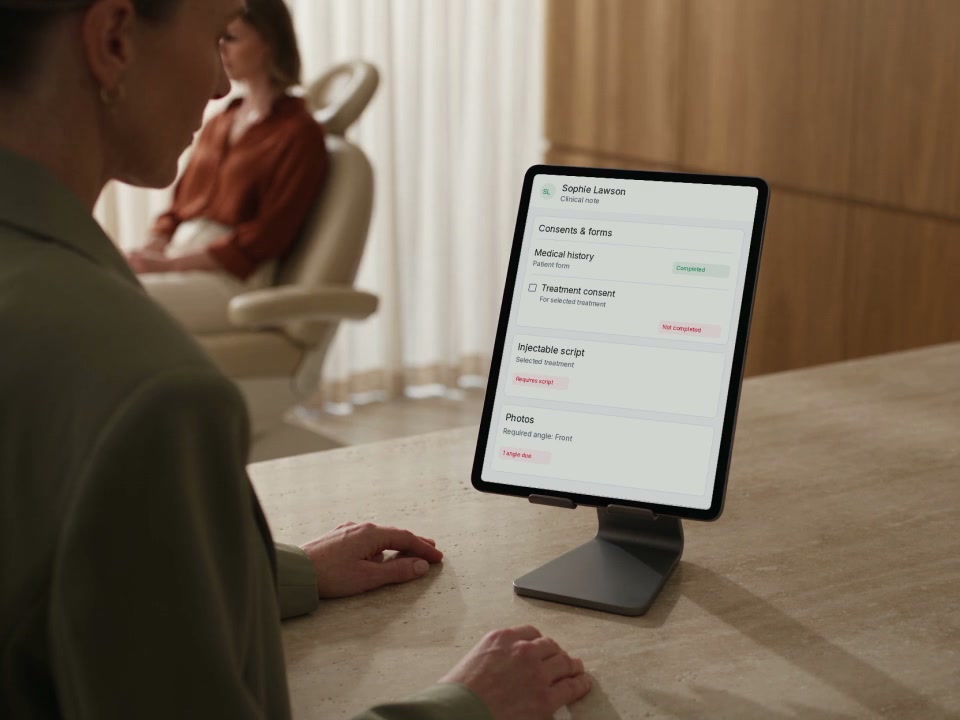
Start from the amounts on the note.
The example has two treatment options, with billed amounts of $150 and $200. Each amount is reviewed before it is presented to the patient.
A clearer estimate
One amount. Or room for a range.
Some estimates need one figure. Others need a minimum and maximum. Prepare the appropriate amount for each line and let the patient see the itemised estimate, including a total when there is more than one line.
Confirm the estimate before sharing.
Adding a range changes the second line from $200 to $200–$250. The patient’s total is $350–$400. These are fictional example amounts, not treatment pricing guidance.
The same detail, in the patient’s view.
Treatment names, prepared amounts and the clinic’s wording appear in the form. The patient reads the financial block; they do not edit its prices.

“The financial conversation belongs alongside the treatment conversation. I want the patient to understand what is being proposed, what it will cost and what questions they still want answered before making a decision.”
Your treatment, your wording
Make the explanation fit the treatment.
Set the patient-facing label and description on the treatment’s form requirement. Choose whether to show quantity and whether options should appear individually or together under the treatment name. Reuse a description from another treatment when it is appropriate.
Explore digital consents and formsConfigure once, prepare for each visit.
The treatment’s form requirement controls the wording and layout. The practitioner supplies the estimated amounts when the form is prepared.
Options can become one treatment line.
In this separate example, Arms at $150 and Legs at $200 combine into Hair removal at $350. Showing a quantity of 2 describes the grouped options; it does not double the amount.
The patient’s view
A cost summary they can read. A conversation they can follow.
Once the practitioner confirms the estimate, display the form on the clinic device or send a link by SMS or email using the patient’s available contact details. The financial block presents the prepared costs. A separate signature field captures the patient’s signature as part of the form.
- Preparation comes before display or send
- Read-only financial detail for the patient
- Signature captured in a separate form field
Send the prepared form, then await completion.
Choose from the patient’s available contact methods. Sending the link does not mean the patient has read or signed the form.
Read the costs. Sign the form.
The financial block and signature field serve different purposes. Keep the cost conversation clear before the patient completes the form.
The completed form
Keep the detail behind the agreement.
Return to the completed form to review the wording, itemised estimate and answers recorded with it. The saved financial block carries the amounts prepared for that form, so the team has more than a disconnected total to refer back to.
- Prepared wording and amounts retained with the submission
- Completed-form view alongside the patient’s form history
- Invoice and payment workflows remain separate
Review the completed record.
The completed form retains the prepared financial detail and the patient’s captured signature. The estimate is not a paid invoice or a payment authorisation.
One connected workflow
Less rewriting between the conversation and the record.
Use the treatment and billing context already in DappleOS to prepare the estimate, then retain it with the completed form. Reduce the separate cost sheets and repeated entry that sit between clinical notes and patient consent.
The treatment context.
Clinical notes provide the treatment context. Keep documentation, markings, forms and product use together.
Explore clinical notesThe completed record.
Digital forms capture the completed record. Configure the questions and signature fields that fit your clinic’s process.
Explore digital formsTrust and compliance
Clear costs. Deliberate review.
Give the team a structured way to prepare and record the cost conversation, while the clinic remains responsible for its wording and consent process.
Feature availability depends on your plan, enabled features and access permissions.
- Encrypted storage
- Practitioner confirmation
- The preparation step comes before an informed financial consent form is displayed or sent from the note.
- Separate signature
- The financial block is read-only. The patient’s signature is captured through a separate field in the configured form.
- Retained form context
- Prepared financial wording and amounts are saved with the submission, alongside the form’s captured answers and signature.
- Clinic responsibility
- The clinic chooses the explanation, reviews the estimate and remains responsible for the consent conversation and requirements that apply to its services.
A little more detail
FAQs
Explore how treatment estimates, patient review and completed forms fit your clinic’s workflow.
Book a demoHow does this fit our consultation workflow?
When a selected form contains an informed financial consent block, DappleOS prepares its treatment lines from the clinical note. It uses the billed amount for an option, with a resolved catalogue price as a fallback when there is no billed amount. The practitioner can edit and confirm the estimate before displaying or sending the form.
Can we show a range instead of one price?
Yes. The practitioner can add a minimum and maximum to a line when preparing the estimate. The patient sees the range, and a total range where the form has several lines. A maximum must be above the minimum to display as a range.
Can we change the wording and group treatment options?
Yes. The treatment’s form requirement controls the patient-facing label, description, quantity display and whether to combine options under one treatment. The clinic can also reuse a consent description from another treatment, then review it for the new context.
Can the patient review it on their own device?
After preparation, the clinic can display the form on the clinic device or send a link by SMS or email using the patient’s available contact details. Informed financial consent is prepared during the appointment workflow, rather than automatically sent before the visit.
Does the financial block capture the patient’s signature?
The financial block displays the prepared costs and does not capture patient input. A separate signature field in the form captures the patient’s signature. The clinic chooses the form’s wording and remains responsible for the conversation and its consent requirements.
What can our team review after completion?
The prepared financial wording and amounts are saved with the form submission and displayed on the completed form, alongside its captured answers and signature. The team can return to that form in the patient’s record. This records the completed form rather than maintaining a separate history of every draft estimate.
Does confirming the estimate create an invoice or collect payment?
No. Confirming prepares the costs that will appear on the patient’s form. Completing that form records its answers and signature. Invoice creation, payment collection and financial consent are separate steps in the clinic’s workflow.
Ask DappleOS
Explore how this could work for your clinic, or talk it through with our team.
Talk to the DappleOS team