
Clinical photography for aesthetic clinics
The full picture. Still and moving.
Capture clinical photos on iPad or iPhone, keeping them out of your camera roll. Bring photos and short videos into the patient’s treatment record, then review each visit with the context a single image cannot give.
At a glance
More than a before and after.
A useful visual record starts in the treatment room. Know what to capture, keep the visit attached, and make the next review a more informed conversation.
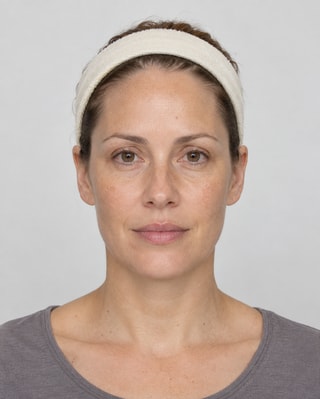
Capture on iPad or iPhone.
Take photos in DappleOS, following the views and expressions configured for each treatment.
See the movement.
Record short videos on iPad to keep expression and movement in the visual record.
Review, side by side.
Select dated images and zoom together to inspect the same area.
Find the right example.
Explore eligible paired photos by treatment, angle, age and gender.
Keep the visit connected.
Bring photos and video together with the patient’s clinical notes and assessments.
A consistent starting point
Know the shot. Keep the context.
Use the DappleOS app on iPad or iPhone to capture the angles and expressions your clinic needs. Follow the configured sequence, use a previous photo as a framing guide and see which required photos are still due.
- Your treatment. Your sequence.Set the required views for the way your clinic works, including configured expression captures such as rest, frown, raise and smile.
- A guide for the next visit.Bring the previous photo into the camera view to help the practitioner position the next capture.
- Capture and upload, kept clear.See captured photos and outstanding requirements without confusing a pending upload with a completed one.
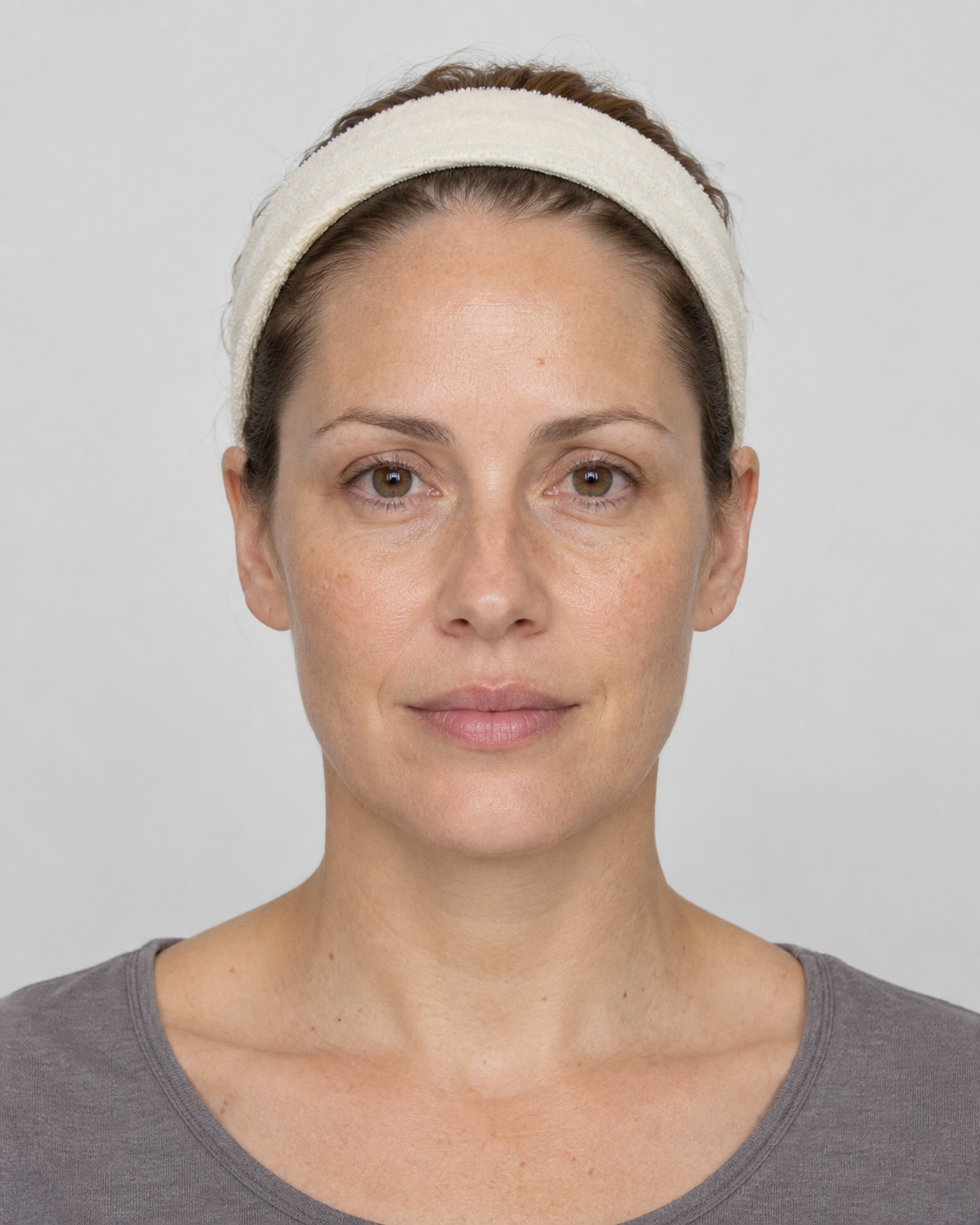
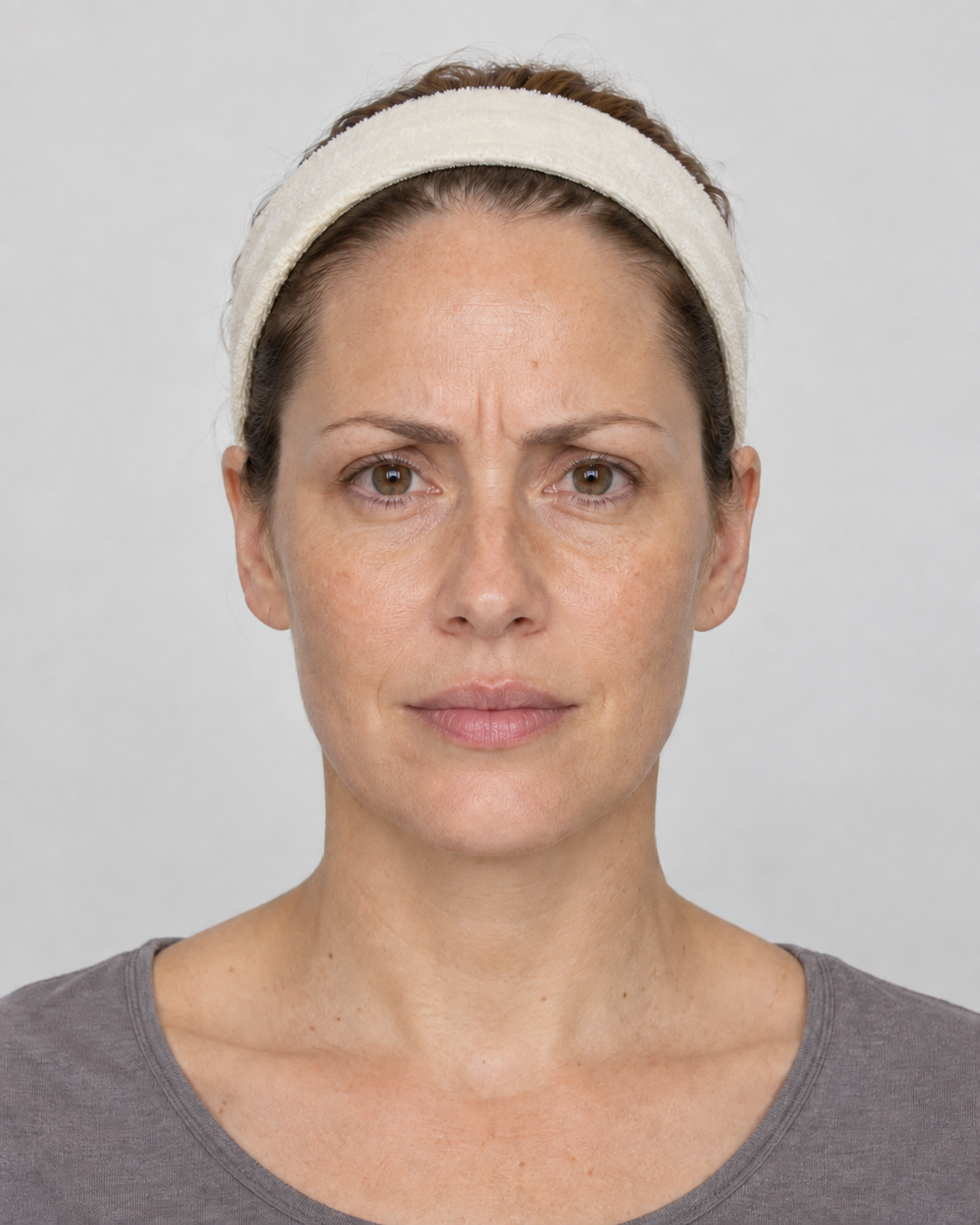
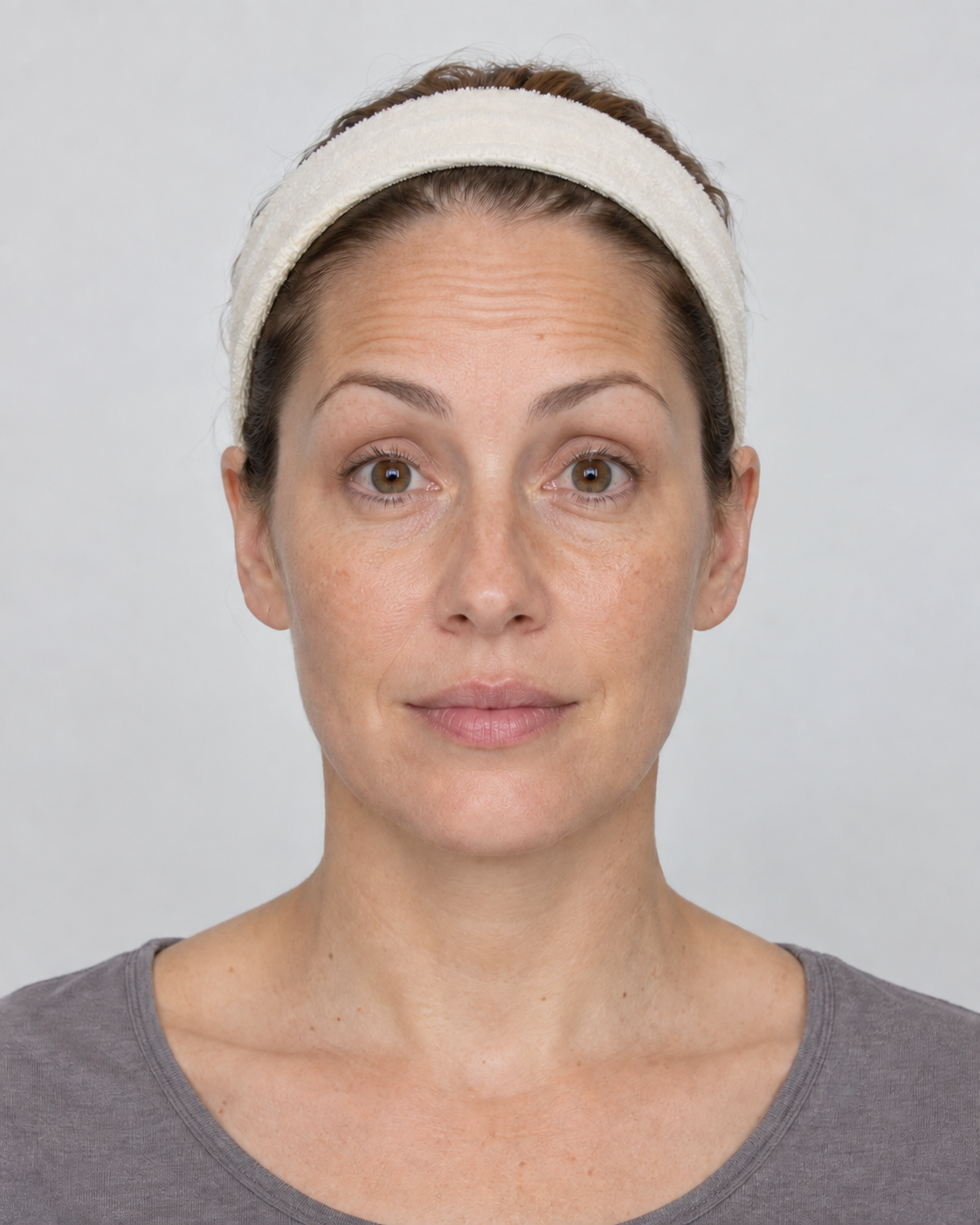
Move through a configured sequence, review each expression and continue with the same patient in view.
Keep required photos, captured images and upload progress distinct inside the treatment workflow.
A familiar frame
Start the next photo
with the last one in view.
A translucent previous image helps the practitioner position the next capture. Keep attention on framing, expression and lighting, while the person taking the photo remains in control.
Clinical video
An expression doesn’t stand still.
A short recording can preserve movement that a still cannot. Capture up to ten seconds of video in the native iPad workflow, review it and keep it with the patient’s dated media.
- From rest into movement.Record a patient moving from rest to a frown, a brow raise or a smile when that is relevant to the consultation.
- Return to the earlier visit.Review pre- and post-treatment recordings alongside the patient’s history, with the clinician interpreting what they see.
Stills hold a moment. Video preserves the movement around it.

“A still photograph captures a moment. Movement adds another dimension. The visual record should help us revisit what we observed and discussed, with the context of that consultation still in view.”
Dated comparison
See each visit in perspective.
Choose the images you want to review, keep their dates visible and use linked zoom to inspect the same area across stills. Let the visual record support the conversation about what has changed.
- The date stays in view.Review selected photographs with their capture dates, rather than separating the image from the visit.
- A closer look, together.Link zoom across still images, with drawing and erasing tools available for the image review.
Select dated photographs, link zoom and review the detail together. Demonstration patient; no treatment result is shown.
Photo library
A relevant example. A clearer conversation.
Explore paired photographs from the same patient and angle. Start with a treatment, then refine the library by angle, age and gender to find a relevant example for your consultation.
- Consent shapes the library.Library results use uploaded photos with current image-marketing consent. Video recordings remain in patient media.
- Focus on the photographs.Library tiles show the paired images, angle and time between them, without patient names or contact details in the results.
Library eligibility follows current consent. Your clinic still reviews consent and intended use before sharing an image.
Unchanged demonstration images show the library layout, not before-and-after treatment results.
One connected clinical record
The image belongs with the visit.
Keep dated photographs and video close to the treatment note and assessment. Give practitioners the visual context to pick up the story at the next consultation.
- Clinical notes and assessments.Move from the visual record into the treatment context, including notes, markings and assessment findings.
 Clinical Imaging Australia integration.DappleOS also connects with Clinical Imaging Australia. Talk with our team about how it fits your clinic’s imaging workflow.
From this visit to the next
Keep the story together.
Photos, movement and the clinical record give the next consultation somewhere to begin.
Trust and compliance
A visual record, handled with care.
Keep access and consent in view, alongside the clinical context behind every photograph and recording.
Feature availability depends on your plan, enabled features and access permissions.
- Encrypted storage
- Kept out of your camera roll
- Photos captured in DappleOS are not added to the device’s Photos library. Local app files support upload and recovery before cleanup.
- Separate library access
- Photo-library access has its own permission, alongside the clinic’s patient-record access controls.
- Current consent, not assumptions
- Photo-library eligibility checks current image-marketing consent. Your clinic still decides whether a particular use is appropriate.
- The clinician interprets
- Framing guides and comparison tools support review. They do not diagnose a condition or score a treatment result.
A little more detail
FAQs
Can we configure the photos required for each treatment?
Yes. Configure the photo views and their sequence for a treatment. These can include anatomical angles and expression labels such as rest, frown, raise and smile. The treatment workflow shows outstanding required photos separately from captured photos and upload progress.
Does the camera help us match an earlier photograph?
A previous photograph can appear as a translucent framing guide in the capture view. The practitioner uses it to help position the next image. It is a manual guide, not automatic alignment or a guarantee of consistent lighting, distance or pose.
Can we record facial expression and muscle movement?
Yes. The native iPad capture workflow records short videos of up to ten seconds. This can help preserve expression or movement for the clinician to review before and after treatment. The clinician interprets the recording; DappleOS does not automatically analyse muscle function or diagnose a condition. Native video capture is distinct from the browser photo workflow.
How do photo and video comparisons work?
Select dated media in the patient image viewer. Still images can be reviewed side by side with linked zoom and image drawing tools. Videos can be played and reviewed as recordings. Linked still-image zoom does not imply synchronised video playback or automatic frame matching.
Can we capture on iPad and iPhone without using the camera roll?
Yes. Capture photos in the DappleOS app on iPad or iPhone without adding them to the device’s Photos library. The app keeps local files for upload and recovery, including while offline. Completed uploads are eligible for later cleanup, so local copies can remain after upload. Patient-record access and image-marketing consent remain separate controls.
What appears in the photo library?
The library contains eligible uploaded photographs with current image-marketing consent. It pairs images from the same patient and angle, showing the angle and time between them without displaying patient names or contact details in the result tiles. Filter by treatment, angle, age and gender. Videos remain in patient media rather than the photo library.
How does photo-library consent relate to publishing?
The library checks current image-marketing consent and has a separate access permission. Your clinic still needs to review the consent and the intended use before sharing or publishing an image. Appearing in the library is not a blanket approval for every use.
Can Clinical Imaging Australia fit into our DappleOS workflow?
DappleOS connects with Clinical Imaging Australia. Our team can discuss the connection in the context of your clinic’s existing setup, while clinical photos and videos remain part of the wider patient and treatment workflow.
Picture the workflow in your clinic.
Ask about photo requirements, iPad video capture, comparisons or the consent-aware photo library.
Talk to our team