

Country

Choose your country

AustraliaGlobal website

DappleAI Marketing Agent

Create campaigns and automations by asking.

Describe who you want to reach and what you want to achieve. Build the audience, shape the message and refine the workflow in conversation, then review before sending or activating.

Coming soon. Not yet available to customers.

Your conversation. A campaign taking shape.
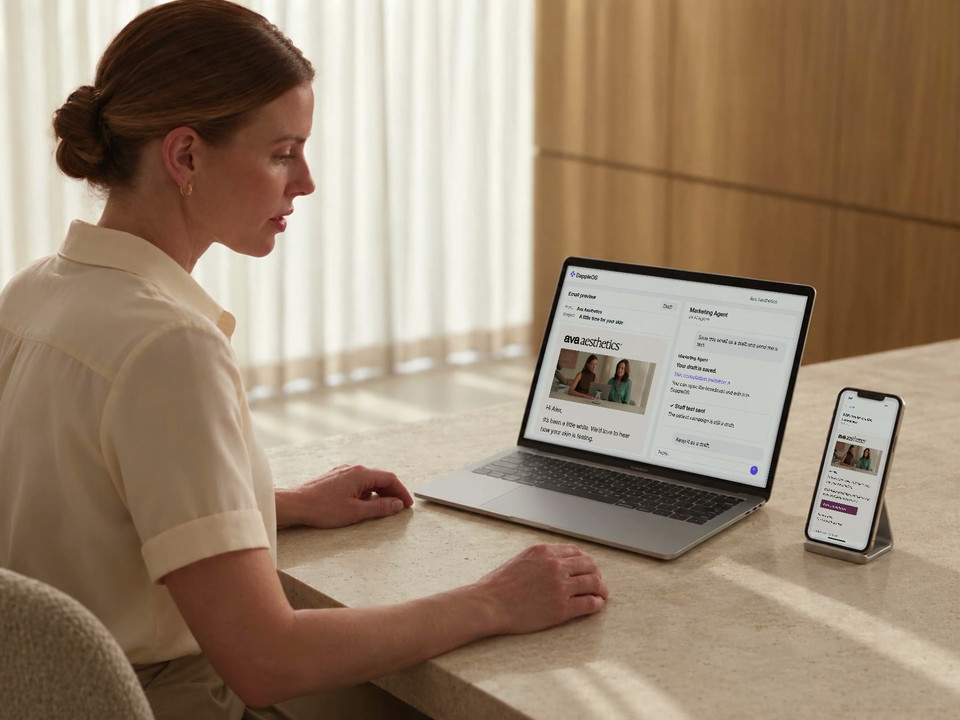
A campaign conversation and its email preview. Refine the message before saving or sending.

01 · Choose who it is for

Start with people, in your own words.

“Patients who haven’t visited in six months and don’t have an upcoming appointment.” Describe the group you have in mind and Marketing Agent turns the brief into audience rules.

See the current matches and available email and SMS subscription counts. Refine the group before spending time on the message.

Make the audience specific

Use relevant patient, treatment and appointment context, then check the returned rules.

Choose who to leave out

Ask about recent email activity and apply the exclusion your clinic wants.

One change to the audience, reflected in the criteria and counts.

Illustrative campaign with fictional clinic data. Subscription counts are not delivery estimates.

02 · Create the message

A real draft.
Room to make it yours.

Ask for an email, an SMS, or a version for each channel. Marketing Agent prepares the content, from the subject line and opening to a clear next step.

Then give feedback as you would to a colleague. Make it warmer. Shorten it. Remove the offer. Keep the layout, but change the opening.

Illustrative draft previews. Email and SMS are prepared as separate campaigns. Your team reviews the content and recipient settings before use.
03 · Bring your clinic’s style

A starting point that already feels like you.

Use the clinic’s own image library, an existing email template or website style as a starting point. Ask for a design direction and shape it from there.

With Canva connected, selected design images can become part of the message too. The available inputs depend on your clinic’s connected brand tools.

The clinic’s image and branding, shown in the draft your team can review.
Ava AestheticsBrand inputs
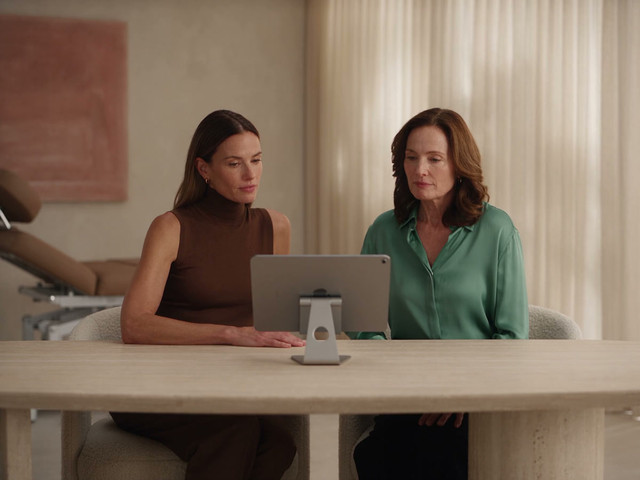
Two women reviewing a tablet at a clinic consultation table.
From the image libraryConsultation image Used in this draft
Your image libraryUse the clinic’s own assets
Previous email templatesKeep a familiar layout
Website styleBring in colour and type direction
The selected consultation image carries through into the email draft above.

Save the work. Check the test. Decide what happens next.

04 · Make it ready for your team

The conversation becomes an editable campaign.

Save the draft in DappleOS and open it from the conversation. Your team can keep editing the content in the campaign tools or ask Marketing Agent for another version.

Pick up the draft where it lives

The saved broadcast is available in DappleOS, ready for the team to review.

Check a staff test

Send a test to your available staff email or mobile and check how the message looks in its channel.

Choose launch separately

Keep the campaign as a draft, continue refining it, or separately ask to launch the version you have reviewed.

For the follow-up that keeps happening

Build the follow-up once. Review the whole journey.

Some messages are part of a repeatable process. Describe when the journey should begin, how long to wait and what should happen next.

Marketing Agent can prepare supported triggers, conditions and email or SMS steps. Review the path and its messages, then save the automation inactive until you are ready to activate it.

Explore intelligent automations
An illustrative journey checks for a future appointment before sending the invitation.

Built into the work

Keep the work connected.

Continue with one-off broadcasts or build an ongoing journey. The saved work stays connected to the audience and message your team has reviewed.

From draft to results

See what happened after the campaign.

Open the saved broadcast to review its Performance tab where enabled and permitted. With Goals and conversions enabled, review recorded bookings or purchases against the campaign’s configured goal and conversion window.

These results belong to the campaign tools in DappleOS. Preparing a draft with Marketing Agent does not send it, and audience counts or staff tests are not campaign results.

Explore campaign reporting
Illustrative campaign results after a separate launch, not customer evidence. Performance and Goals and conversions must be enabled with the relevant access. Attribution follows the configured goal and window; it does not prove the message caused a booking.

Review and control

Your team gives the campaign its final shape.

Marketing Agent helps prepare the work. Your clinic stays responsible for the audience, the message and the decision to launch.

Feature availability depends on your plan, enabled features and access permissions.

  • Encrypted storage
Explore our Trust Centre
Audience decisions stay visible
Review the criteria and available subscription counts. Your team chooses any exclusions before using the audience.
The draft stays editable
Ask for another version or continue editing the saved campaign in DappleOS. The message still needs your clinic's review.
Tests go to your team
Staff tests use the signed-in team member's available email or mobile. Check the test outcome and the received message before launch.
Launch is a separate step
Creating and saving the campaign is separate from asking the agent to launch it. Automation drafts are saved inactive.

FAQs

What can I ask Marketing Agent to create?

Marketing Agent is coming soon and is not currently available to customers. The planned workflow covers audience selection, message drafting, refinement and saving for one-off campaigns and supported automations. Email and SMS are prepared as separate campaigns.

Does it use our existing patient data?

It can translate your brief into audience rules using connected clinic data and return current match and subscription counts. You review those rules and choose any exclusions. Subscription counts are planning information, not guaranteed delivery or proof that every contact detail is present.

Can the message use our clinic's own brand?

Yes. Depending on the brand tools connected for your clinic, the agent can use your image library, email templates and website style. A connected Canva account can also supply exported design images for the message.

Can I change the copy or edit the campaign myself?

Yes. Ask for a different tone, a shorter message or another design direction in the conversation. Saved drafts can be opened and edited in DappleOS. When a draft already has manual edits, the authoring workflow can ask whether to preserve those changes before revising it.

What happens when I save and test a draft?

The campaign is saved in DappleOS and a staff test can be sent to the signed-in team member's available email or mobile. A test can fail even when the draft is saved, so check the result and the received message. This does not send the campaign to its patient audience.

Does creating a campaign launch it?

No. Drafting, saving and testing are separate from launch. You can keep editing or ask to launch the reviewed campaign as a separate step. Authored automation drafts are saved inactive and need a separate activation step.

How do I see it working for our clinic?

Marketing Agent is coming soon. Bring a campaign idea to discuss. We can explain the campaign tools available today and discuss the planned Marketing Agent workflow and its availability.

Ask DappleOS

Ask how Marketing Agent could fit your clinic's campaign workflow.

Book a demo