Help Agent for aesthetic and cosmetic clinics
Get unstuck, with help that knows your setup.
Ask a product question without leaving DappleOS. Help Agent can explain the relevant setting, check your clinic’s configuration and help you take an unresolved issue to the support team.
At a glance
A useful next step when the team gets stuck.
A new team member needs to find a setting. A booking behaves differently than expected. Help Agent brings product guidance and clinic context into the same conversation.
Product guidance
Find the setting, then understand what it does.
Ask where a feature lives or how a setting works. Help Agent can point you to the relevant DappleOS screen and explain the next step in plain language.
New team members can ask follow-up questions about the setting and check the relevant product guidance. Clinic training and help from experienced colleagues remain part of learning the workflow.
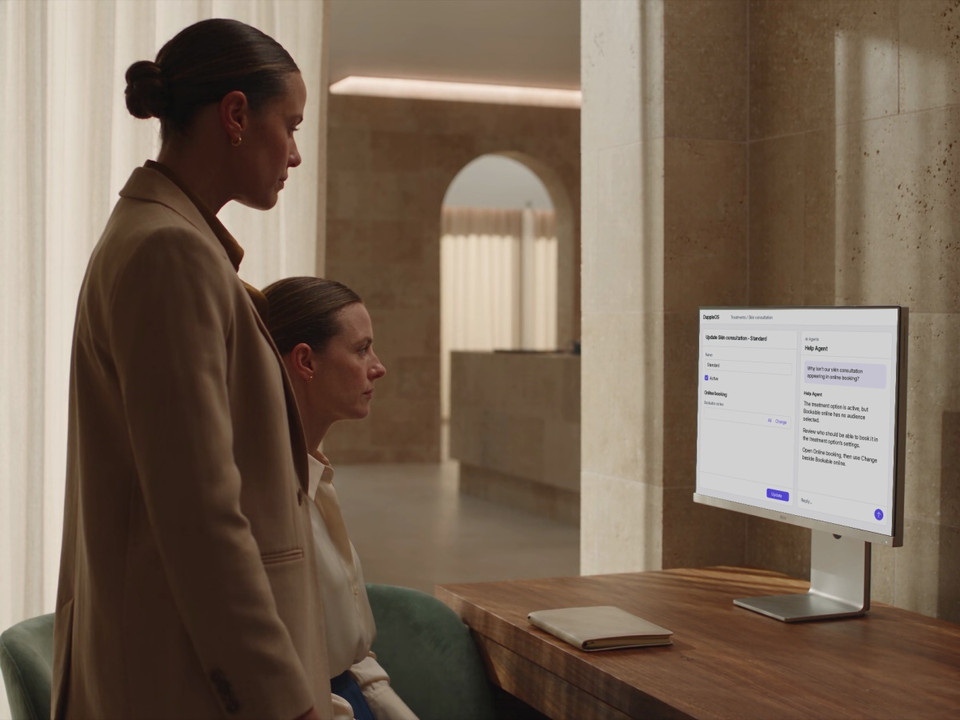
Your clinic’s setup
See what is behind the booking question.
A treatment is active, but a patient cannot see it online. Ask Help Agent to check the recorded booking setup, then use that detail to decide which setting to review.
For booking questions, it can check a practitioner’s roster and query appointment availability. That helps the team understand what is recorded before deciding what to change.
- Narrow the question to a treatment, location or date
- Keep a roster separate from a bookable appointment time
- Follow the evidence or ask for further help
Everyday product questions
Help the team understand the forms they use.
Ask what a form collects or how its fields and visibility rules are configured. Help Agent can inspect the form definition and explain it in the same conversation.
A new team member can understand the questions a patient will see before helping with their visit. The form’s setup and a patient’s completed answers remain separate.
Human support
Get human help without starting the story again.
When the question needs the support team, ask Help Agent to prepare a ticket. Review the issue and the steps already tried, then confirm that you want it sent.
The support team receives the problem and the checks already made in the ticket description. You can carry the investigation forward without writing it all out again. The conversation confirms whether the ticket was created.
- Describe what you expected and what happened
- Include the settings and steps already checked
- Confirm the support handover in the conversation
Trust and compliance
Guidance with a clear role.
Help Agent supports product use and troubleshooting. Your team stays responsible for clinic setup and decisions, with human support available when more investigation is needed.
Feature availability depends on your plan, enabled features and access permissions.
- Encrypted storage
- Product help has a defined role
- Help Agent explains DappleOS and investigates product questions. Clinical decisions stay with qualified practitioners.
- Clinic setup stays with your team
- The agent uses configuration to guide the answer. Your team reviews and makes setup changes in the product.
- Confirm the support handover
- Review the issue and context, then confirm that you want a support ticket created.
- People stay part of the path
- Unresolved issues can move to the support team with the attempted steps included.
Connected product help
Keep the context when the question moves on.
Bring product guidance, the relevant clinic setup and the support handover into one conversation. New team members can learn where to look and what a setting means, with follow-up questions when they need clarification.
FAQs
What can I ask Help Agent?
Ask where a DappleOS feature lives, how a setting works or why a workflow is behaving differently than expected. Help Agent has lookup tools for areas including treatment options, forms, rosters, bookings, communications, payments and reporting configuration. The answer depends on the relevant information available for your clinic.
Can it use our clinic’s setup in the answer?
Yes. Help Agent can read clinic configuration to answer a setup-specific question. For example, it can check a treatment option’s online-booking audience or look at a practitioner’s roster and appointment availability. It may ask you to clarify the treatment, location or date first.
Can Help Agent support new team members?
New team members can ask where a feature lives, what a setting means and follow-up questions in plain language. For example, Help Agent can inspect a form’s configured fields and visibility rules to explain what it collects. That is separate from checking a patient’s completed answers. Clinic training, configuration decisions and human support remain important.
Will it change settings for us?
Help Agent is for product guidance and troubleshooting. Your team reviews and changes the relevant settings in DappleOS. It does not create or edit clinic automations. Support-ticket creation is a separate action that you confirm in the conversation.
What happens if I still need human support?
Ask Help Agent to prepare a support ticket. Review the issue and the steps already tried, then confirm that you want the ticket created. When the support integration is available, the conversation shows whether creation succeeded. Human support continues the investigation.
Is Help Agent the same as the assistant on this website?
No. Help Agent is the product-guidance specialist inside DappleOS. The assistant on this website answers questions about DappleOS and helps you explore whether it fits your clinic.
Ask DappleOS
Ask how Help Agent could support your clinic’s product questions and staff onboarding.