

Country

Choose your country

AustraliaGlobal website

Franchise and enterprise

Keep the whole network in view.

Run your cosmetic or aesthetic clinic network on one DappleOS system. Bring patient workflows, marketing and reporting together, with the consent, scripting and medication records that support your compliance processes. Keep group performance in view while managing each brand’s local choices and access.

Compare recorded performance for the selected location and period, then investigate the detail behind the result.

Built around your day

A common approach. Clear responsibility in every clinic.

Small problems can become significant when multiplied across a network. Agree how consent, prescribing decisions and medication movements are recorded, alongside what is shared, what stays local and who follows up. Your business structure matters more than a fixed number of locations.

Explore compliance support
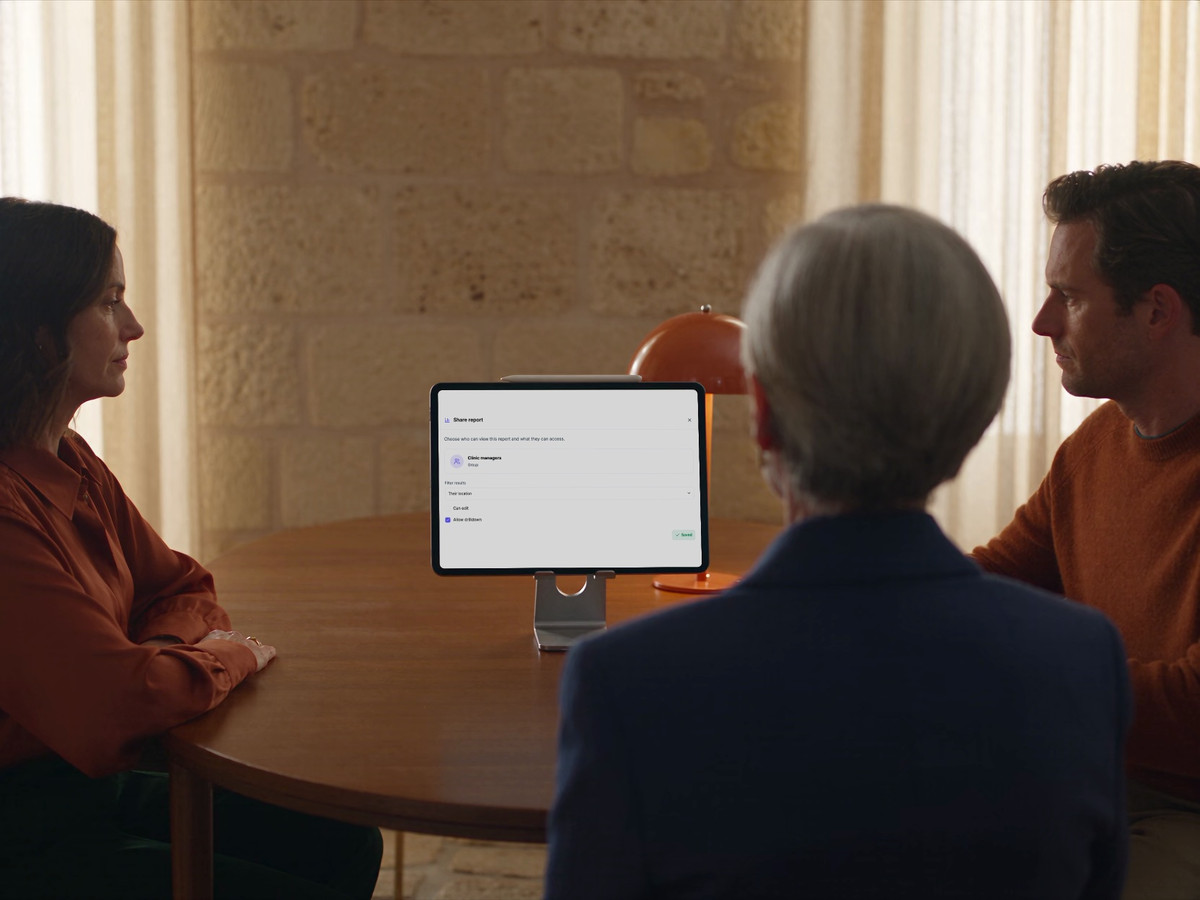
Clinic network colleagues review DappleOS report-sharing controls together.

One system. Fewer separate tools.

When each operator uses separate booking, marketing, consent, photo and scripting tools, the network inherits disconnected records and repeated administration. DappleOS brings these workflows into one system, including injectable scripting with your configured prescribers. Give teams a common way to work while keeping each brand’s identity and the agreed boundaries between businesses.

Compliance support

Make compliance support part of every clinic’s workflow.

The problem
Across different operators, consent, prescribing decisions and medication movements can be recorded differently. Head office and local managers need a clear way to review what happened and who needs to follow up.
How DappleOS helps

Digital drug book

Review recorded Schedule 4 medication movements by product, batch, expiry and location. Where note-based stock updates are enabled, saved treatment use links the movement to the patient and person who recorded it. Daily balance views support reconciliation where enabled.

Explore the digital drug book
Injectable scripting

Request an injectable script from the clinical note, with patient history, treatment details and consent in context. Your clinic’s configured prescribers review the request and record their decision. Issued scripts retain signature and validity details.

Explore injectable scripting

Consent and clinical records

See which configured forms still need completion, then review captured answers and signatures alongside the clinical note. Keep the record of consent, treatment and follow-up available for the next authorised colleague.

Explore forms and consent
What this means for your clinic
Give each clinic a consistent way to record and review its work, while respecting local responsibilities, prescriber decisions and each account’s access boundaries.

A common foundation

Agree what belongs centrally and what stays local.

The problem
A common treatment offering becomes harder to maintain when each operator makes local decisions without clear boundaries.
How DappleOS helps
In a configured parent and sub-account setup, existing parent-owned treatment options support local pricing, deposits, timing and online-booking settings. Map your shared catalogue and the settings each operator can manage before rollout.
What this means for your clinic
Keep a common treatment structure across the network, with agreed local choices and clear responsibility for maintaining them.

Shared treatment catalogue

Existing parent-owned treatment options

Local clinic A

Defined local settings

  • Pricing and deposits
  • Treatment timing
  • Online booking

Local clinic B

Defined local settings

  • Pricing and deposits
  • Treatment timing
  • Online booking
Agree patient access and financial responsibilities separately from group reporting.

Map shared treatment options, local settings and account boundaries before rollout.

Multi-brand support

Keep each clinic brand recognisable.

The problem
The patient chose a clinic they recognise. A shared platform needs to preserve that identity when your network operates several brands.
How DappleOS helps
Brand settings cover domains, logos, booking, forms, communications and patient-app presentation. Map each brand to the relevant locations and booking setup, while agreeing patient-record access and business responsibilities separately.
What this means for your clinic
Patients can recognise their clinic throughout the experience, while your network retains the shared operating structure it needs.
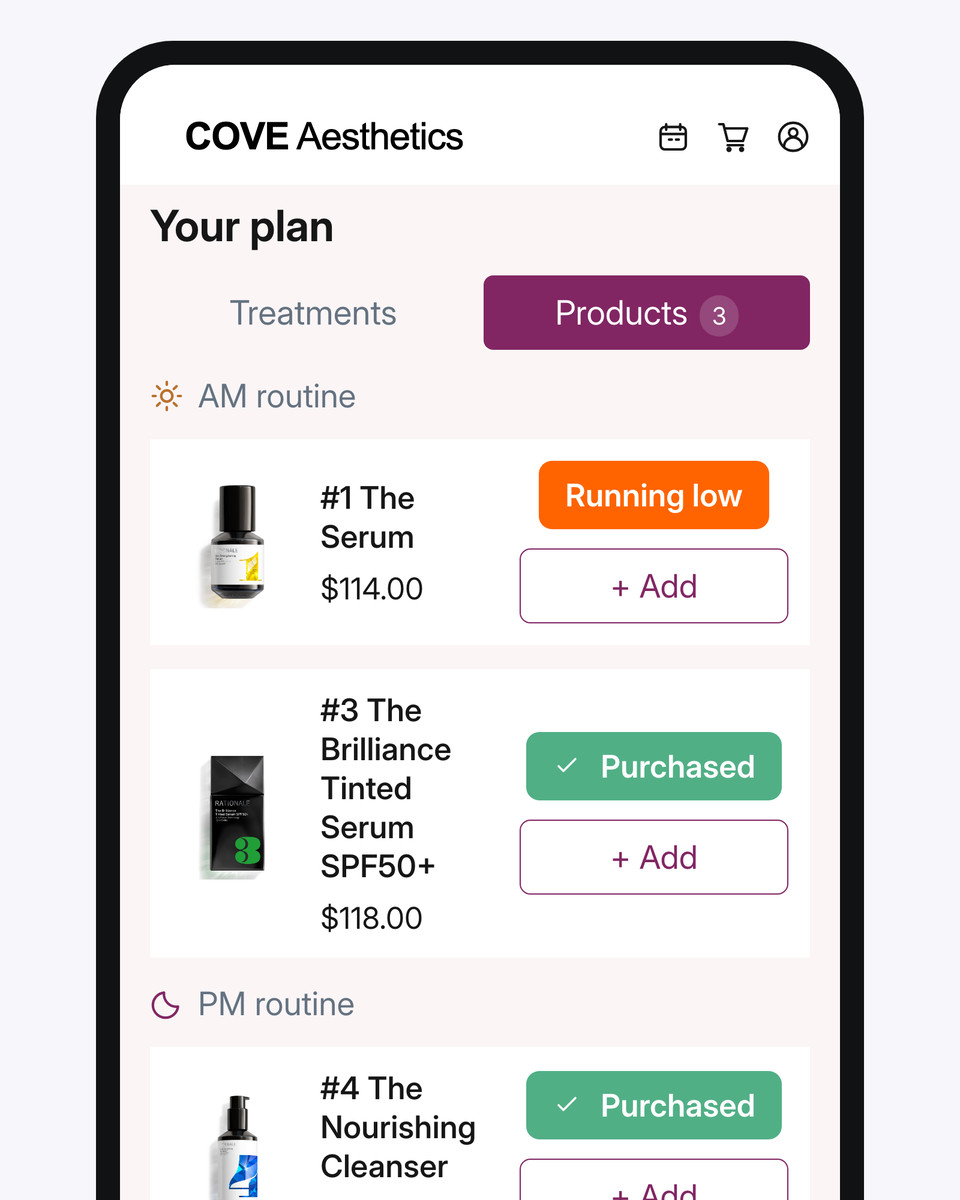
The clinic-branded patient app displaying the patient’s treatment and skincare plan.

One clinic's branded patient app, showing a treatment and skincare plan. Brand presentation and patient-record access are configured separately.

The patient relationship

Keep what happens behind the treatment-room door in view.

The problem
Financial results cannot explain what happened in a consultation. The discussion, recommendations and reasoning need to remain useful beyond one practitioner.
How DappleOS helps
Assessments, clinical notes and the live treatment plan connect recorded findings with recommendations and next steps. Authorised colleagues and clinical leads can review that context with the team, within the patient-record boundaries of each account.
What this means for your clinic
The next practitioner has a clear starting point for continuing care, while individual treatment decisions stay with them.
Treatment and skincare plan showing booked and unbooked next steps.

A live treatment and skincare plan gives the next authorised practitioner a clear starting point.

Management visibility

Manage by visibility, not just by being there.

The problem
Leadership cannot be in every clinic to see where things are working well or where a local team needs support.
How DappleOS helps
Reporting across a configured parent account and its sub-accounts brings recorded activity into a group view. Compare the same measures over the same period, keeping sales, money received and targets distinct, then investigate the local context.
What this means for your clinic
You can identify the clinic that needs a closer look and agree who will act, without relying on physical presence.

A selected location changes the report after Apply, keeping the period and scope visible.

Clear responsibility

Turn network visibility into local responsibility.

The problem
Seeing a problem at group level does not get it resolved if the local manager lacks the information or responsibility to act.
How DappleOS helps
Share relevant dashboards with local managers, controlling view, edit and drill-down access separately. For stock work, orders and receiving states show what was ordered, what arrived and what remains outstanding. A transfer stays distinct from its receipt.
What this means for your clinic
Local managers have the information to follow through on their responsibilities, and head office has a clearer basis for reviewing progress.

Review incoming stock and local responsibilities before another order is placed.

Trust and compliance

Clear context. Appropriate control.

Keep responsibility with the people who know your patients and your business.

Feature availability depends on your plan, enabled features and access permissions.

  • Encrypted storage
Explore our Trust Centre
Deliberate account boundaries
Group analytics and patient-record access serve different purposes. Map the appropriate record and financial responsibilities for each business.
Practitioners retain judgement
A shared assessment and planning method supports continuity. Each practitioner reviews the patient’s circumstances and decides what is appropriate.
Access matched to responsibility
Define user roles and reporting access, including who can open underlying detail, around the work each person needs to do.

FAQs

How does DappleOS support compliance across a clinic network?

DappleOS supports a shared approach to consent, clinical notes, injectable scripting and medication records. The digital drug book keeps recorded movements available for review, with daily balance views where enabled; injectable requests and decisions stay with your clinic’s authorised prescribers. Agree the roles, procedures and access each operator needs. Group reporting does not provide unrestricted access to patient records across independent accounts, and each clinic remains responsible for the requirements that apply to its work.

Can our network replace separate booking, marketing and clinical tools?

DappleOS brings booking, marketing, digital consent, clinical photos and injectable scripting into one system, so your network can use a common platform for these workflows. We can review the separate tools you use today and map what can move into DappleOS, alongside any integration requirements. Brand presentation, prescriber configuration and patient-record access still need to match each business’s responsibilities.

Can we support more than one clinic brand?

Yes. Brand settings cover domains, logos, patient-app presentation, booking, patient forms and communications. We can map your brands to the relevant locations and account structure. Brand presentation does not itself separate patient records or financial responsibilities; those are agreed as part of the setup.

Can a shared treatment catalogue have local settings?

In a configured parent and sub-account structure, existing parent-owned treatment options support defined local changes such as pricing, deposits, timing and online-booking settings. The demo can work through your catalogue and the decisions each operator should own.

Can head office report across the group?

Yes. Reporting supports a parent account and its configured sub-accounts, so leadership can compare recorded activity without being physically present at every clinic. Agree the scope of each report, the measures being compared and the access local managers need for your structure. Group totals should lead to a closer look at local context, rather than conclusions about a clinic from one number.

Does group reporting mean all clinics share patient records?

No. Group analytics does not establish unrestricted access to patient records across independent accounts. We map patient continuity, access and business boundaries separately during evaluation.

Can we discuss identity and integration requirements?

Yes. DappleOS has SSO setup, permissioned API keys and webhooks. Bring your identity provider and the systems, events and account access you need so the team can review the supported scope with you.

What should we bring to a network demo?

Bring your location, ownership and brand structure, two representative staff roles and one workflow that crosses central and local teams. We can walk through reporting, access, patient context and local choices before discussing rollout requirements.

Ask DappleOS

Ask how DappleOS could fit your clinic, or bring your own workflow question to the team.

Book a demo

Let’s work through your clinic’s day.

Bring your brands and ownership structure, one question about network performance and a consent, scripting or medication-record workflow. We’ll show how the group view and local responsibilities fit together, then work through the access and choices each business needs.

Book a demo