Revenue opportunities
Bring relevant treatments, products and package renewals into the conversation, with recorded context to help the patient decide.

Opportunities for aesthetic and cosmetic clinics
See relevant treatment, product and package opportunities while the patient is in front of you. DappleOS surfaces them from existing plans and recorded activity, with the reason ready to review. Choose the next step in booking, sales or treatment planning.
An agreed treatment is still unbooked. A sampled skincare product has not been purchased. A package is nearing renewal. Opportunities brings the recorded context into view while the patient is with you, so your team can discuss what is relevant now.
Automatically surface relevant opportunities from the patient’s recorded plans and activity.
Open a prompt to review the recorded facts behind it before deciding what to do.
Continue into the relevant workflow, or snooze or dismiss the opportunity.
Use the patient’s appointments, invoices and plan to check what happened next.
Support your clinic’s revenue, appointment utilisation and visit frequency by making relevant options easier to discuss and act on. Results depend on patient choice and the bookings or sales your team completes.
Bring relevant treatments, products and package renewals into the conversation, with recorded context to help the patient decide.
Take an unbooked treatment from the agreed plan into the booking finder and discuss an available time while the patient is with you.
Arrange the next planned visit during today’s conversation, with timing agreed by the practitioner and patient.
Opportunities automatically checks recorded activity against your clinic’s configured rules. Relevant prompts appear in the patient profile, appointment book and supported booking screens, with the reason ready to review during today’s visit.
See an unbooked treatment already recorded in the patient’s plan. Discuss the timing with the patient and continue into booking when appropriate.
See relevant prompts for sampled products, repurchase timing or package renewal, based on recorded activity and your configuration.
Bring planned return visits, unused balances and contact-detail issues into view while your team is with the patient.
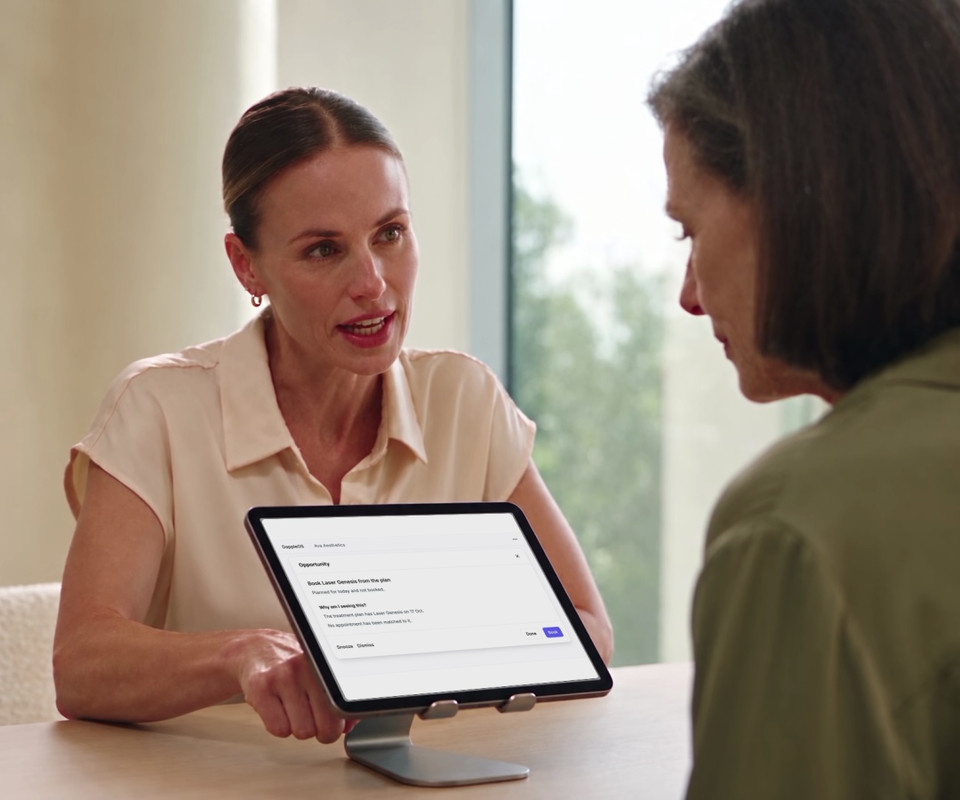
Open the reason, then continue into the right patient workflow. The treatment can follow you into booking, the product into a new invoice, or the recommendation into the plan editor, ready for your team to review.
Explore an example
A prompt is a starting point for your judgement. Snooze an opportunity for later or until the next visit. Dismiss it with a reason when it is not suitable, the patient declines or the conversation has already happened.
Snooze for two weeks, one month, until the next visit or a chosen date. It can return if it still applies.
Dismissal reasons preserve why the team chose not to proceed. Clinical suitability and patient consent remain with the practitioner and patient.
Enabled categories, configured timing and staff access shape which opportunities are available.
Return to the patient’s appointments, invoices and treatment plan to check the outcome. Opportunity activity records the hand-off separately, keeping the selected action and the completed booking or purchase distinct.
One unbooked treatment, followed through by the team
Sophie’s unbooked Laser Genesis treatment carries into the booking finder. The opportunity may now be actioned, but there is no new appointment yet.
After checking suitability and Sophie’s choice, staff select an available time and complete the booking details.
Check Sophie’s appointments to confirm the booking was created. A booked appointment is still separate from treatment being delivered or payment collected.
Trust and compliance
Opportunities supports a better-informed conversation. It does not decide what care a patient needs or carry out a booking or purchase on its own.
Feature availability depends on your plan, enabled features and access permissions.
Opportunities automatically surfaces relevant prompts from recorded plans and activity in the patient record. Your team can see an unbooked treatment, a sampled product or a package renewal, review why it appears and discuss the next step during the visit. Available categories depend on clinic configuration and staff access.
No. Opportunities is an embedded DappleAI feature, but its prompts are detected through rules applied to recorded activity and clinic settings. The reason and supporting facts help your team understand why a prompt appears. It does not provide a diagnosis or decide clinical suitability.
Supported categories can open a booking with treatment context, an invoice with a product or package, or the patient’s treatment plan. Staff still review and complete the destination workflow. Opening it does not confirm an appointment, purchase or saved plan change.
Yes. Staff can snooze it for a period, until the next visit or to a chosen date, or dismiss it with a reason. A snoozed opportunity can return if it still applies. Your team remains responsible for the conversation and the decision to proceed.
Not necessarily. Access depends on permissions and role, with clinical and front-desk audiences for different categories. Clinic configuration also affects which categories and timing rules apply. A demo can show the relevant setup for your team.
No. An opportunity can be marked actioned when staff open the next workflow, before they finish it. Check the resulting appointment, invoice or treatment plan to confirm what happened. A potential value shown on an opportunity is not collected revenue.
Ask how Opportunities could help your team surface relevant options during a patient visit.