Country

Choose your country

AustraliaGlobal website

DappleAI for aesthetic and cosmetic clinics

Find answers. Draft notes. Keep work moving.

Get briefed before the next patient, start your notes with a draft, find answers in clinic data and get help with DappleOS. Explore AI built into your aesthetic clinic’s working day, with your team reviewing the output and deciding what happens next.
A practitioner listens to a patient in an aesthetic consultation, with DappleOS on a supported iPad.

Available now

Start with the work you want to make easier.

From preparing for an appointment to understanding clinic performance, choose the help that fits the task. Access depends on your plan, enabled features and staff permissions.

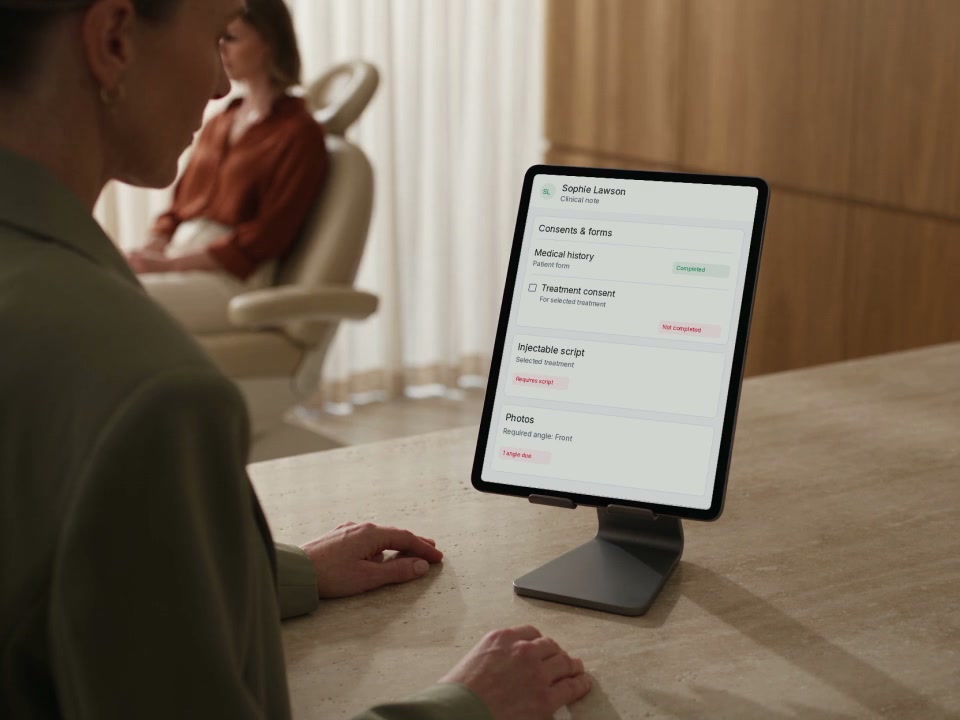
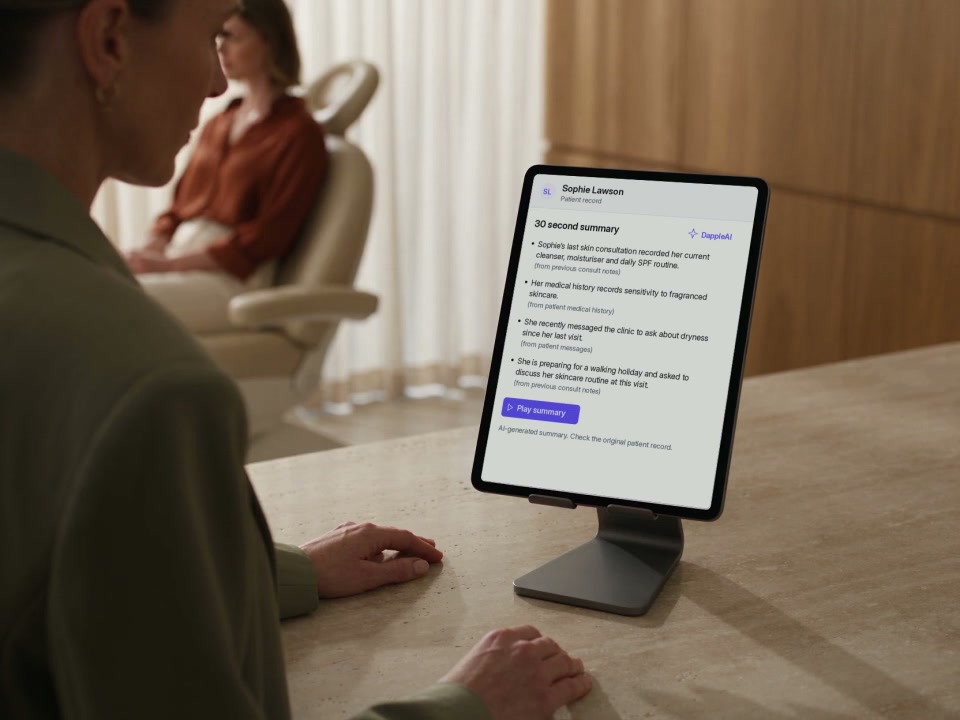
A practitioner reviews a sourced patient summary on an iPad before turning to the patient.
SL
Sophie LawsonPatient record
30 second summaryDappleAI
  • Sophie’s last skin consultation recorded her cleanser, moisturiser and daily SPF routine. (from previous consult notes)
  • She recently asked about dryness since her last visit. (from patient messages)
  • She is preparing for a walking holiday and asked to discuss her skincare routine. (from previous consult notes)

AI-generated summary. Check the original patient record.

30-second patient summary

Too much to catch up on before a visit?

Prepare for the next patient conversation

Read or listen to a concise briefing from recorded notes, medical history, prescriptions and messages, with source descriptions. Available now.

Explore 30-second patient summary
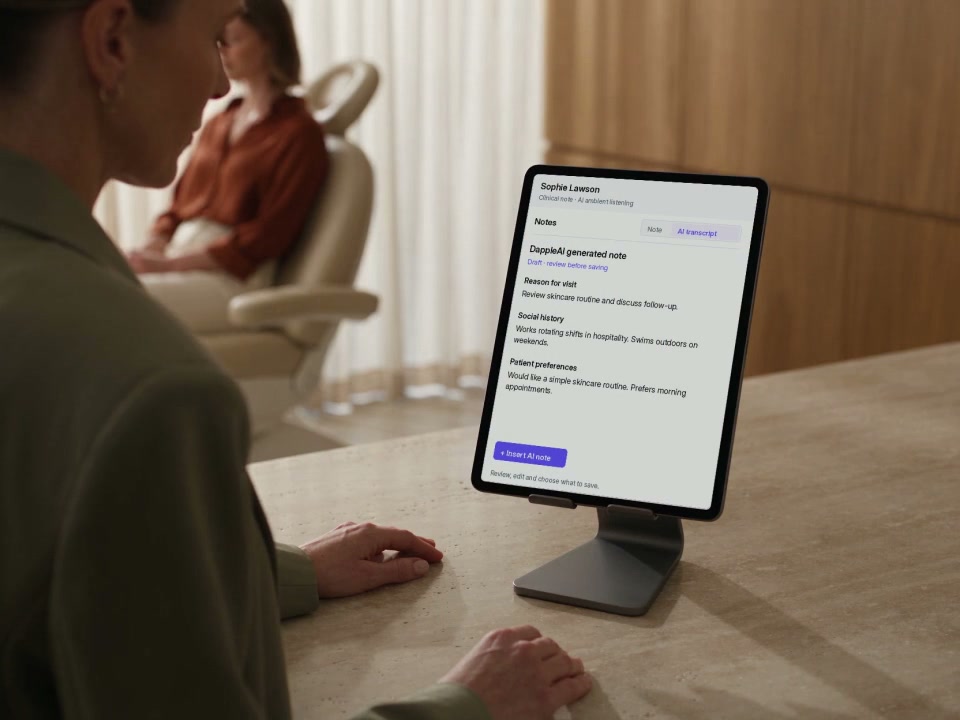
A practitioner listens to a patient, then reviews the transcript and generated clinical-note draft on an iPad.

AI ambient listening

Notes pulling you away from the patient?

Stay with the consultation

Turn the consultation into a structured clinical-note draft, ready for practitioner review, editing and saving.

Explore AI ambient listening
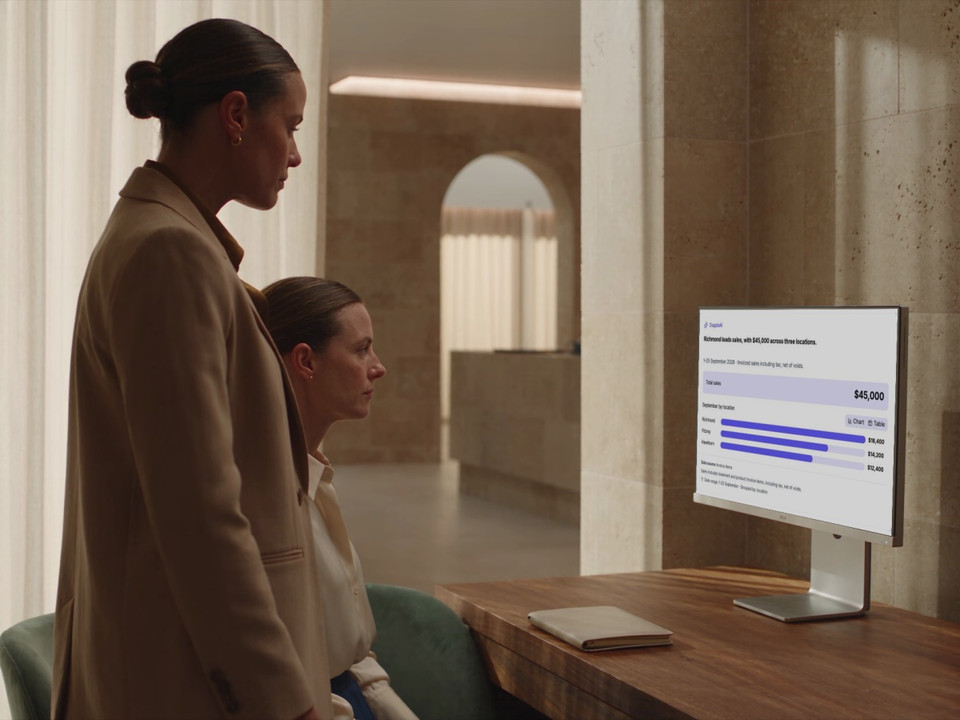
Two clinic colleagues review an Insights Agent sales-by-location answer on a desktop monitor.

Insights Agent

Hunting through reports for an answer?

Find answers. Create reports and KPIs.

Ask about sales, bookings and performance in plain English. Check the figures and source, create a report or confirm a KPI to track what matters.

Explore Insights Agent
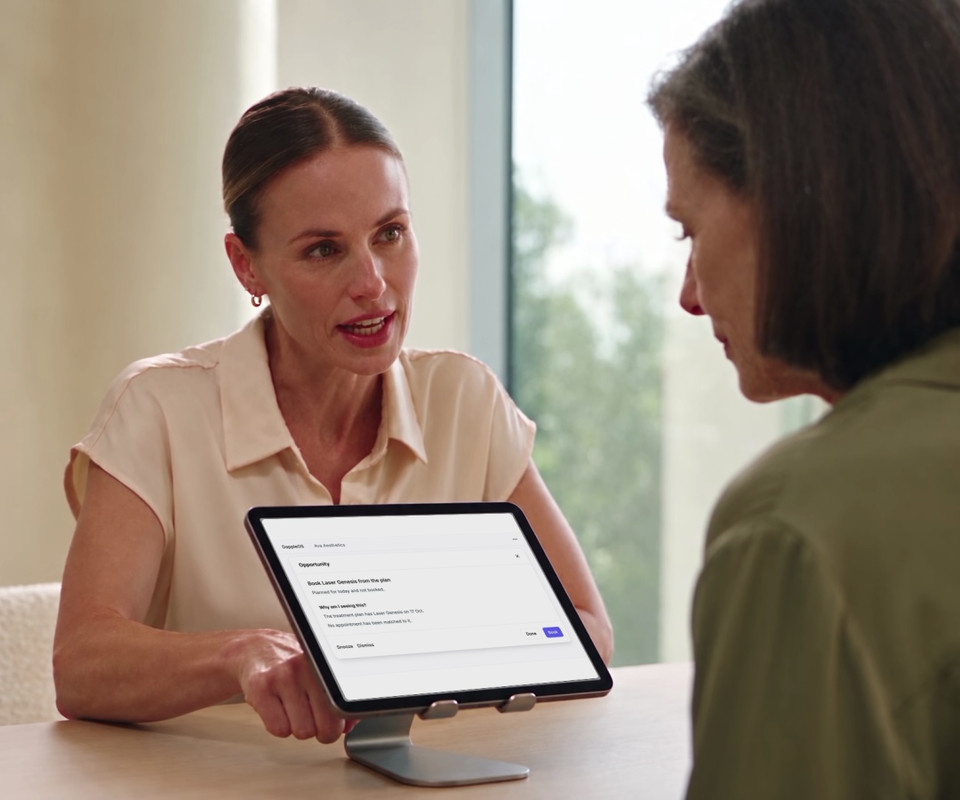
A practitioner reviews a patient-specific opportunity and its recorded reason during a consultation.

Opportunities

Opportunities hiding in today’s appointment?

See the opportunity with today’s patient

See relevant treatment, product and package opportunities for the patient in front of you, with the recorded reason and a next step ready to review.

Explore Opportunities
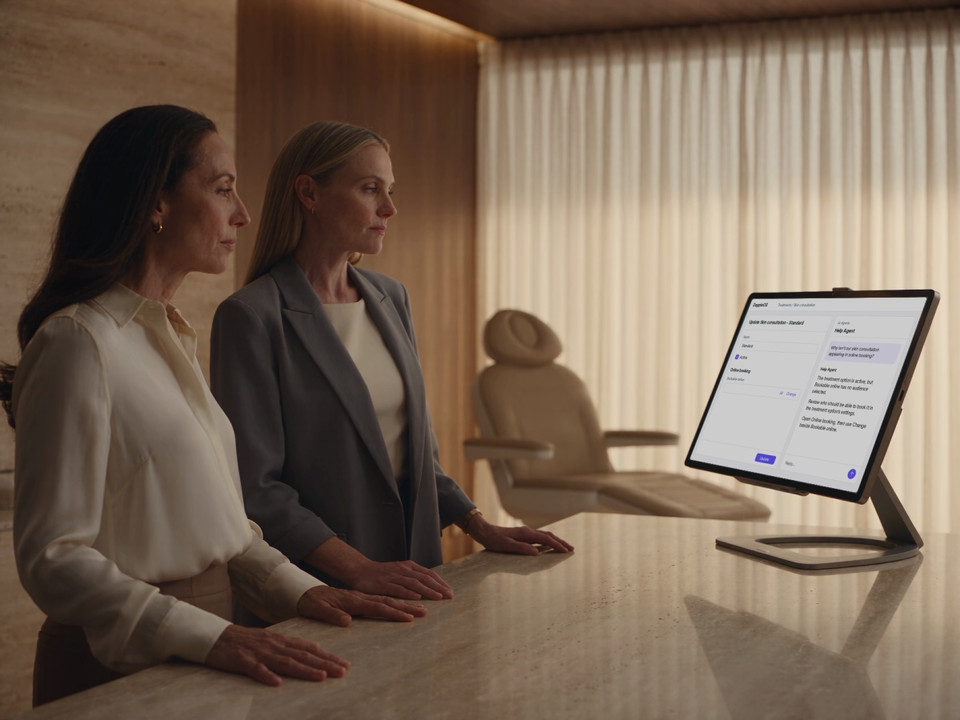
Two clinic colleagues review an online-booking setting beside Help Agent guidance.

Help Agent

Stuck on how to do something?

Find a useful next step in DappleOS

Ask how a workflow works, get guidance in the clinic's context, and prepare a support handover when you need a person.

Explore Help Agent

Within the work you already do

Help with the next job in your clinic’s day.

Prepare for a patient, capture a consultation as a note draft, investigate a reporting question or find the setting your team needs. Start with the task in front of you.

Each feature brings useful information into view. Your team checks the detail and decides what to do with it.

See the live patient summary
A practitioner reviews a patient record on an iPad before a consultation.

Coming soon

Which job is slowing your team down?

Start with the problem, then see how the right agent could help. Preview five upcoming agents for your clinic’s everyday work.

Patient Agent

Digging through the patient record?

Find the detail during the consultation

Find recorded visits, notes and existing plans from the treatment note while the patient is with you.

Patient Agent

What is on Sophie’s existing plan?

A skin review is due and not yet booked.

From Sophie’s treatment plan.

Preview the workflow

Growth Agent

Not sure where to grow next?

Prioritise your next growth move

Find revenue opportunities across utilisation, rebooking and visit value. Review prioritised growth plays, their assumptions and a practical next step.

Growth plays
1
Reconnect with patients ready to rebook

Rebooking · 120 patients

$3,600est. / month
2
Make room in the diary work harder

Appointment utilisation

$2,400est. / month

Estimated potential. Review each play’s assumptions.

Preview the workflow

Marketing Agent

Campaigns taking too long to build?

Create campaigns and automations by asking

Build audiences, draft email or SMS and shape automation journeys in conversation. Review before sending or activating.

Email preview · Draft

Subject: A little time for your skin

Hi Sophie, make a little time to talk about your skin and the routine that works for you.

Preview the workflow

Concierge Agent

Enquiries waiting for a reply?

Consistent responses. Help patients book.

Handle phone calls and messages across Facebook, Instagram, email, SMS and app chat with your clinic’s booking information and patient context. Bring conversations needing a person into Inbox.

Ava Aesthetics

I’d like to book a skin consultation.

Which of these times suits you?

Thursday · 2 pmFriday · 10 am

Choose a time before confirming.

Preview the workflow

Front Desk Agent

Front desk tasks piling up?

Your front desk copilot

Find appointment times, prepare booking changes and messages, and check arrival details. Your team confirms each change.

Front Desk Agent

Move Sophie Martin’s appointment?

Thursday 1 October · 2 pm

Skin consultation · 30 minutes

Emma Wilson · Newstead

Move it
Preview the workflow

Trust and compliance

Useful assistance, with people in control

AI does not make clinical decisions. Your practitioner must review, approve and explicitly save AI-generated draft notes.

Feature availability depends on your plan, enabled features and access permissions.

  • Encrypted storage
Explore our Trust Centre
Context for the job
Information and actions depend on the feature, clinic configuration and your access.
Check the detail
Review source records, note drafts and reporting answers before relying on them.
Your judgement
AI supports documentation and administration. Clinical decisions remain with qualified practitioners.

FAQs

Which AI agents are part of DappleOS?

The 30-second patient summary, AI ambient listening, Insights Agent and Help Agent are available now, subject to your plan, enabled features and permissions. Opportunities is a live rules-based feature that surfaces relevant treatment, product and package opportunities from the patient’s recorded activity. Patient Agent, Growth Agent, Marketing Agent, Concierge Agent and Front Desk Agent are coming soon.

Are these conversational agents?

Insights and Help support questions through conversation. Patient summaries and ambient listening are embedded workflows, while Opportunities uses rules to surface relevant opportunities for the patient in front of you. The coming-soon Growth Agent brings performance analysis and prioritised growth plays together. The other upcoming agents have distinct conversational workflows.

Which agent speaks with patients?

Concierge Agent, coming soon, is designed for supported patient enquiries and booking conversations. The clinic can see handled conversations and pick up those needing staff. The other agents support your team inside DappleOS.

Do the agents replace clinical judgement?

No. AI does not make clinical decisions. AI ambient listening produces a draft note. The practitioner must review, edit as needed and approve the draft, then explicitly save the note. Patient Agent is coming soon.

Is Insights Agent the same as Ask AI?

Insights Agent is the current name for the conversational reporting experience previously called Ask AI. Ask questions about clinic data, examine the answer and create supported reports or KPIs. KPI creation requires your confirmation of the measure, scope, period and target.

How do we see which agents fit our clinic?

Book a demo with a workflow you want to make easier. We will explain what is available for your clinic today, preview upcoming agents where appropriate, and discuss access and review steps.

Ask DappleOS

Tell us which part of the working day you would like to make easier.

Book a demo