
Integrated payments for Australian aesthetic clinics
Online, in clinic and on schedule.
Take online payments, accept payments in clinic with physical Tyro terminals, and collect recurring membership payments through DappleOS. Keep each payment connected to the patient, invoice or membership behind it.
Integrated with DappleOS. Powered by Tyro.
At a glance
Make paying part of the journey.
From the first booking to a regular membership payment, keep the payment and its context together. Patients have a clear next step. Your team has a record to work from.
Let patients pay online.
Collect booking deposits and send invoice payment links by SMS or through the patient portal.
Take payments in clinic.
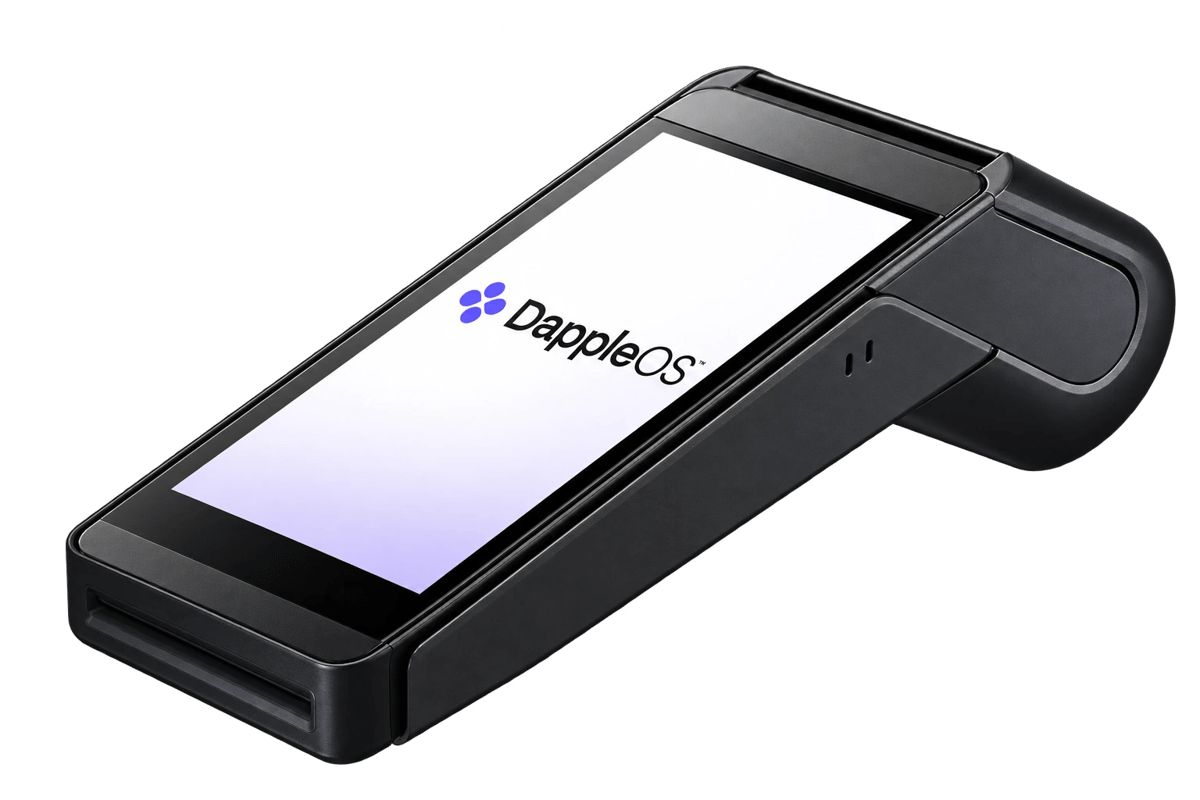
We provide physical Tyro terminals for your clinic, with terminal and location settings in DappleOS.
Keep memberships on schedule.
Collect recurring membership payments and review due dates, collection dates and payment status.
Keep the record connected.
See payments against the relevant invoice or membership, with the patient context close at hand.
A smoother finish to the visit. A clearer start to the next one.
A payment should not become another disconnected task for reception. Bring deposits, invoice payments and membership collections into the same platform your team uses to manage the patient journey.

Online
Booking deposits and invoice payments
In clinic
Physical Tyro terminals
Recurring
Membership payment schedules
One patient journey, with a record for each payment.
Give patients a clear way to pay online.
Collect a deposit when a patient books online, or send a payment link for an outstanding invoice. The patient can review the amount and pay online, without reception taking card details over the phone.
- Deposits within the online booking flow
- Invoice payment links via SMS or patient portal
- Hosted card entry and supported saved cards
Invoice #1042
Pay your invoice
Card payment via Tyro
Physical terminals, part of your clinic setup.
We provide physical Tyro terminals for your clinic, alongside integrated online and recurring membership payments. Manage your terminal names, pairing and location settings in DappleOS, so the setup reflects where your team works.
- Physical Tyro terminals supplied for your clinic
- Named terminals and location settings
- Setup arranged with the DappleOS team
Tyro terminal · Newstead
Make regular payments easier to follow.
Set up recurring membership payments through your clinic’s Tyro connection. Review what is due, what has been collected and which payments need attention, with the membership and patient still in view.
- Recurring membership collection
- Due dates and collection dates
- Payment amounts and status
- Payment attempt history for review
Recurring memberships are separate from fixed-total instalment plans.
Explore membershipsOpen the October payment attempt to see the recorded result.
Understand the payment behind the balance.
Keep the payment beside the invoice or membership it belongs to. Your team can check the amount and status in context, instead of treating a sent link or a scheduled collection as proof of payment.
- Invoice balances and payment records
- Membership collections and status
- Patient context for follow-up
Trust and compliance

DappleOS and Tyro, working together.
Our Tyro partnership connects the payment experience with your clinic’s day-to-day work. We’ll help you plan the online, terminal and membership setup for your Australian clinic.
Explore our integrations- Hosted card entry
- Patients enter card details through hosted payment fields, with supported card payments processed by Tyro.
- Your clinic connection
- Payments use the configured gateway and merchant connection. Terminal and membership setup depend on the services enabled for your clinic.
- Clear payment states
- Sending a link is not payment confirmation. Review the recorded payment result and outstanding balance.
- Plan the setup together
- We’ll discuss terminal supply, locations, onboarding and applicable payment terms before you proceed.
This page describes our Australian Tyro offering. For clinics elsewhere, speak with our team about supported payment options.
FAQs
Can patients pay online and in clinic?
Yes. DappleOS supports online booking deposits and invoice payments, alongside in-clinic payments with physical Tyro terminals. We’ll confirm the right connection and setup for your Australian clinic.
Do you provide physical payment terminals?
Yes. We provide physical Tyro terminals for your clinic. Talk with the DappleOS team about your locations, terminal requirements, setup and applicable terms.
Can we send a link for an outstanding invoice?
You can review and send an invoice payment link by SMS or through the patient portal. Patients can then pay online. Sending the link does not mark the invoice as paid.
Can DappleOS collect recurring membership payments?
Recurring membership payments are supported through the configured Tyro membership connection. The payment schedule shows due dates, collection dates, amounts and status. This is separate from fixed-total instalment plans.
Can we see whether a membership payment was collected?
The membership payment schedule and attempt history let authorised staff review payment status and collection records. A scheduled payment is distinct from a successful collection.
Is the Tyro offering available outside Australia?
This page describes our Australian Tyro offering. Speak with the team about supported payment options for any clinic outside Australia.
What will we cover in a payments demo?
Bring your online booking, reception and membership requirements. We’ll walk through the payment journeys, physical terminal needs and setup for your clinic, with applicable terms explained before you proceed.
Ask DappleOS
Ask how online payments, Tyro terminals and recurring memberships could fit your clinic.